

Magnification
Using the mouse pointer, you can increase magnification by clicking on the up arrow to the right of your current zoom level and to the left of the window icon.
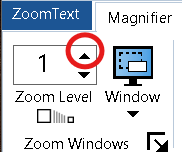
You can zoom out by clicking the down arrow to the right of your current zoom level and to the left of the window icon.

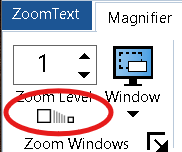
You can toggle between your current zoom level and 1x (no magnification) by clicking the Zoom Level button beneath your current zoom level.
Keyboard Commands for Magnification
Zoom in | Caps Lock + Up Arrow
Zoom out | Caps Lock + Down Arrow
1x Toggle | Caps Lock + Enter
Enhancement
You can toggle color enhancements on and off by clicking the top half of the color split button.

You can toggle pointer enhancements on and off by clicking the top half of the pointer split button.
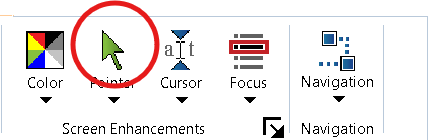
You can toggle cursor enhancements on and off by clicking the top half of the cursor split button.

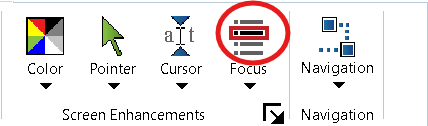
You can toggle focus enhancements on and off by clicking the top half of the focus split button.
Keyboard Commands for Enhancements
Toggle color enhancements | Caps Lock + C
Toggle pointer enhancements | Caps Lock + P
Toggle cursor enhancements | Caps Lock + R
Toggle focus enhancements | Caps Lock + F
 Vermont DBVI Training